For off-road, Jeep and UTV rental businesses
Online booking and fleet management for your rental business
Treadlio gives small rental businesses a booking page renters can use on their phones, one place to run vehicles and reservations, and card payments with deposits paid out to your bank.
Made for a handful of vehicles and a busy season
Sized for small fleets
Set up the fleet you have, whether that's three Jeeps or a dozen side-by-sides, with your own rates for half days, full days and longer.
Bookings while you're on the trail
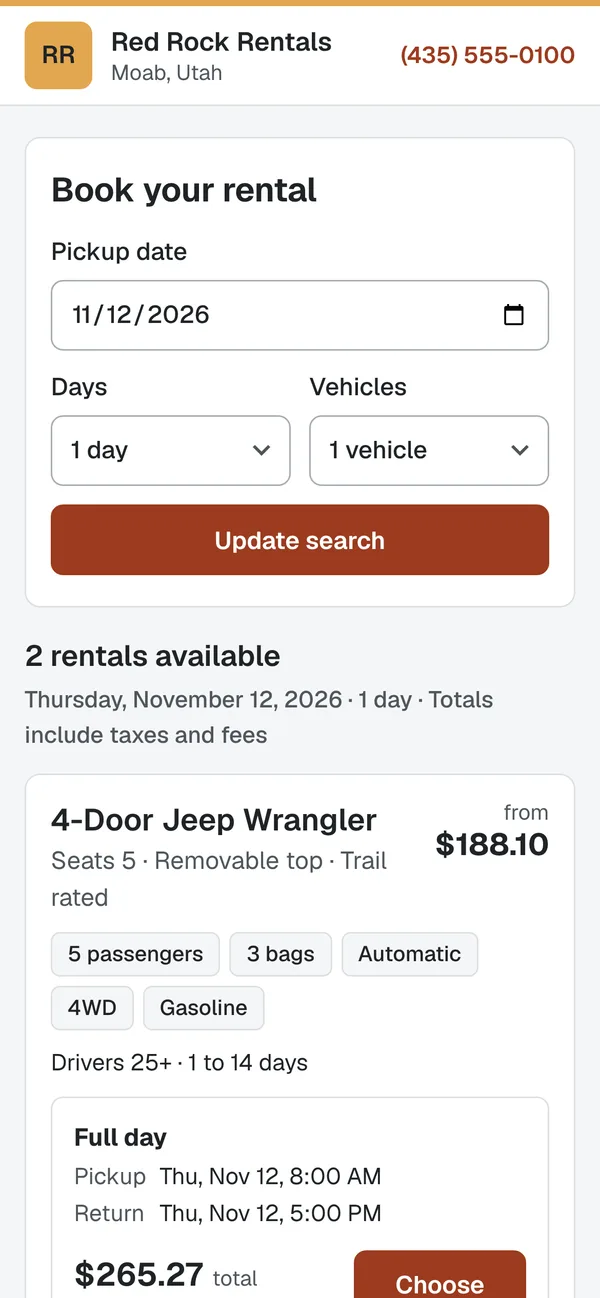
Renters check what's available and book at any hour, so you're not answering the phone to quote a price.
Your business, front and center
Booking pages and emails carry your name, logo and contact details. Renters deal with you.
Online booking
Let renters book from your website, on any phone
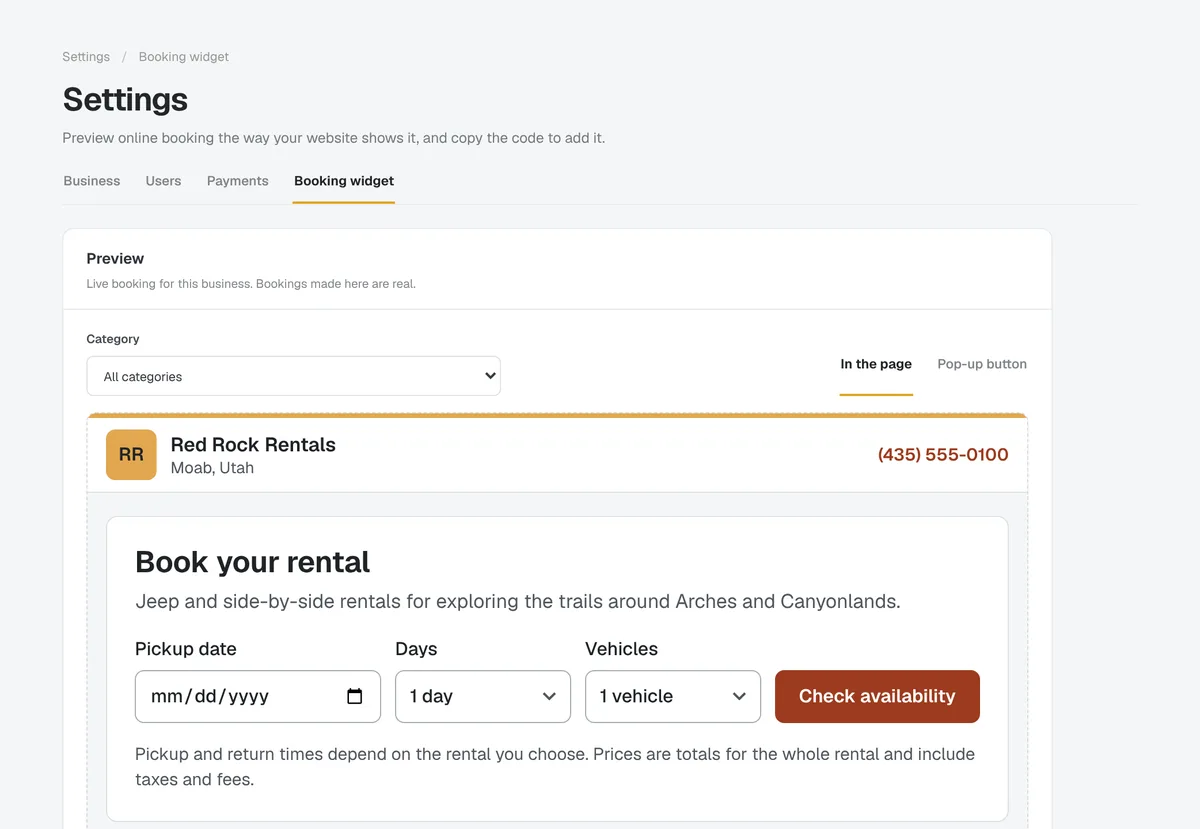
Add booking to the website you already have with one line of code, right in the page or as a pop-up button, or share your own booking page. Renters pick a pickup date and a rate, see the total with taxes and fees, and book in a few steps.
- Your name, logo and colors on every booking page
- Drivers under your minimum age are stopped before they book
- Licenses, rental agreements and signatures are done online after booking
Fleet and reservations
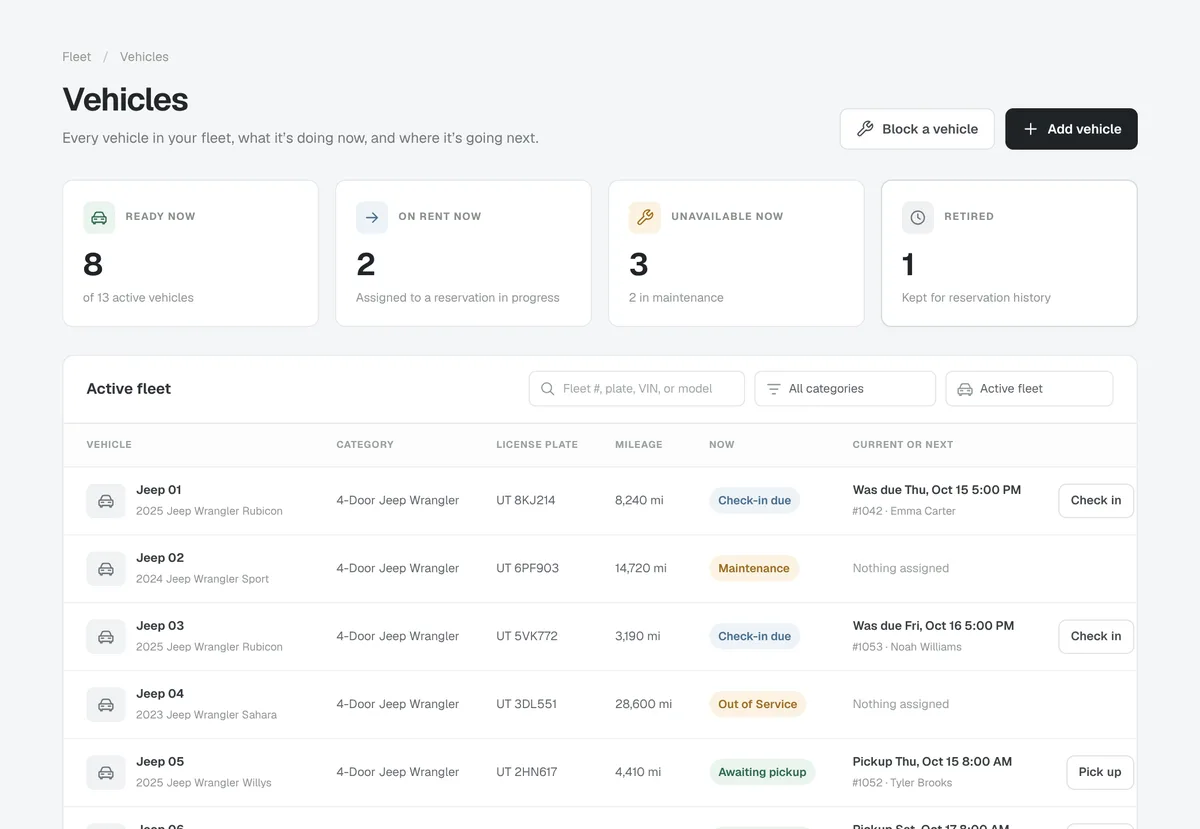
See every vehicle and every reservation in one place
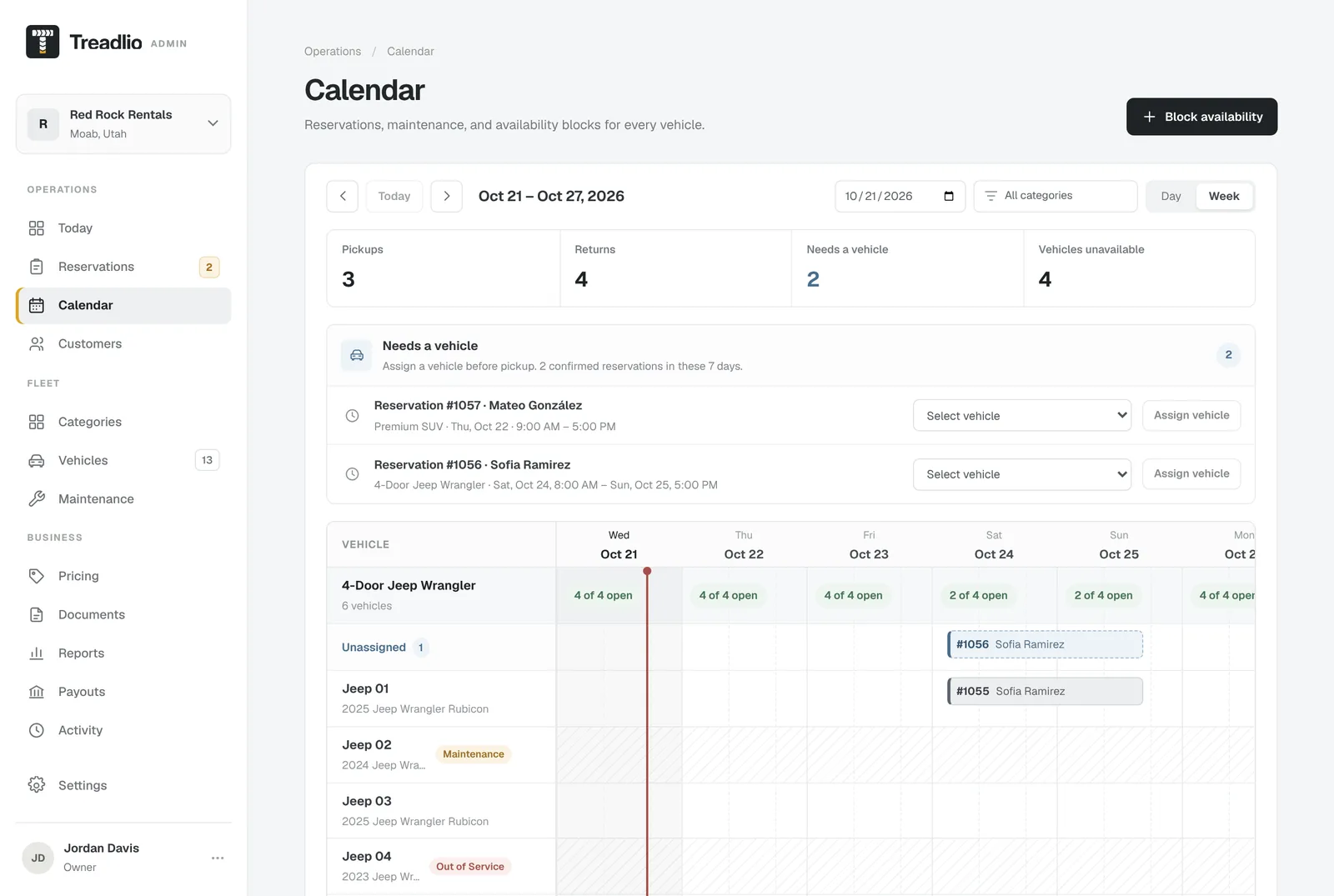
Treadlio Admin shows what's going out and coming back today, a calendar of every vehicle, and which bookings still need one assigned. Renters book a category, like a 4-door Wrangler, and you choose the vehicle.
- Record odometer, fuel and damage at pickup and return
- Block vehicles for maintenance so they stay off rent
- Invite your staff, each with what their role needs
Payments
Take a deposit or full payment when renters book
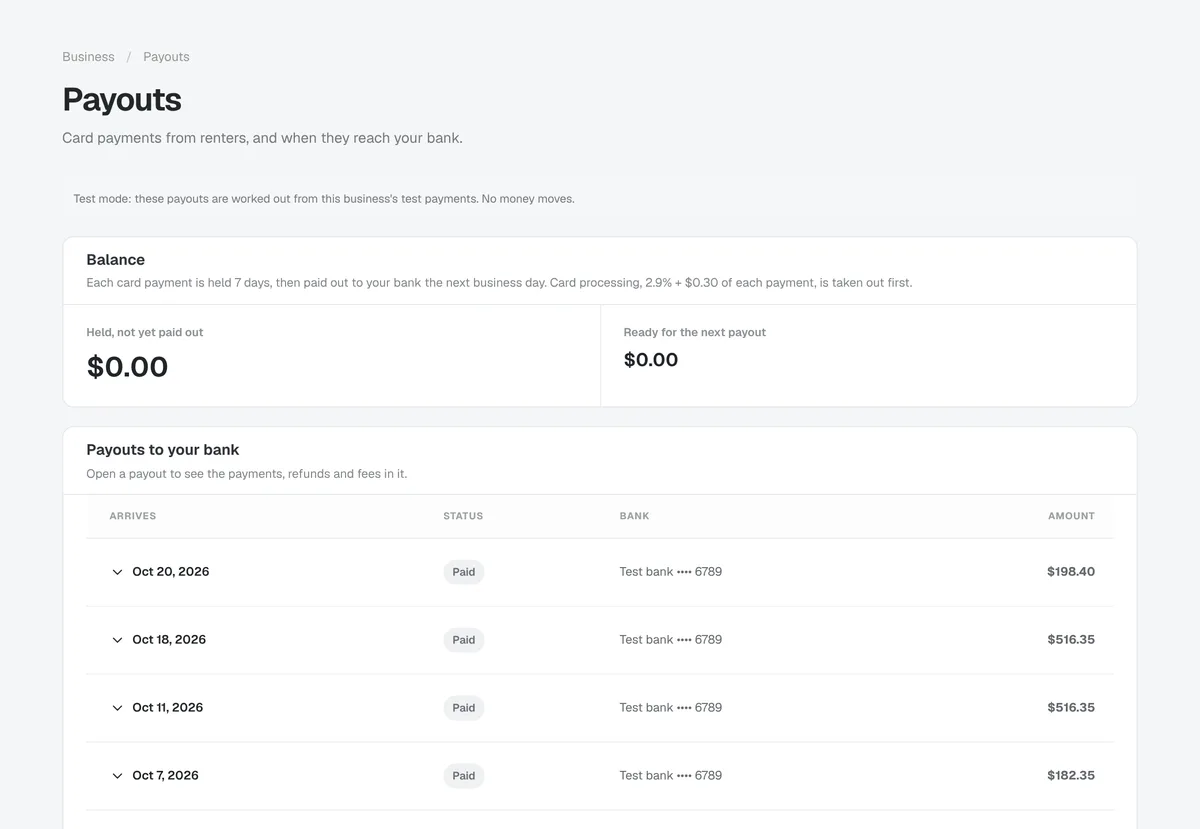
Renters pay by card through Stripe, into your business's own account, and Stripe pays out to your bank. Cancellations are refunded by the policy you set, and every payout is in Admin with the payments in it.
- Full payment, a deposit, or pay at pickup
- Refunds follow your cancellation window
- Payouts to your bank account
Getting started
A checklist that gets you ready for the season
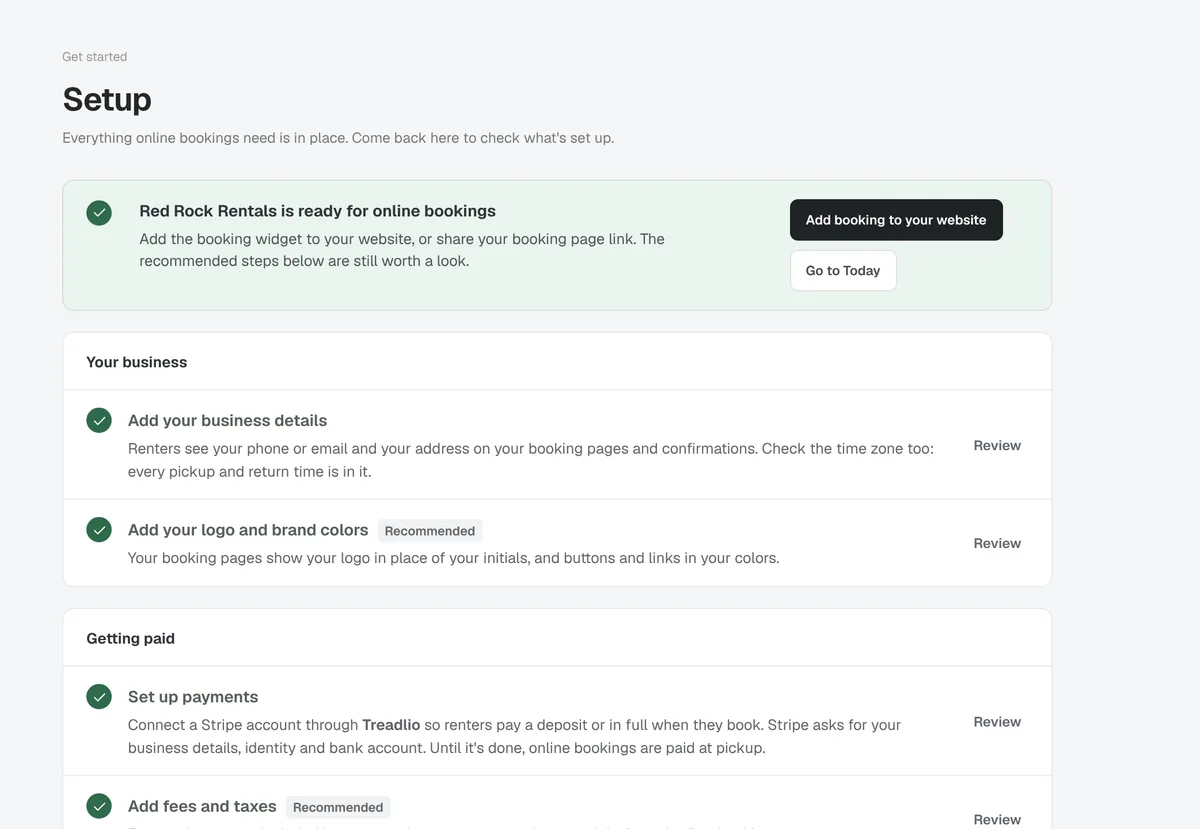
Setup walks you through your business details, vehicles, rates, payments and rental documents, and tells you when online booking is ready to share.
- Business details, logo and colors
- Categories, vehicles and rates
- Payments, fees and taxes
How getting started works
Leave your email
We'll get in touch to hear about your fleet and answer your questions.
Get your invitation
We set up Treadlio for your business and invite you to Treadlio Admin.
Set up and share
Follow the checklist, then add booking to your website or share your booking page.
Questions
- Do I need a website?
- No. Every business gets its own booking page to share by text, email or on social media. If you have a website, add the booking widget to it as well.
- Who do renters pay?
- You. Card payments go through Stripe into your business's own account and are paid out to your bank. Your cancellation policy decides refunds.
- What do renters fill in to book?
- Their name, email, phone and date of birth. The driver's license, rental documents and passengers are completed online after booking, before pickup.
- Can my staff use it?
- Yes. Invite staff to Treadlio Admin as Owners, Admins or Staff, each with access to what their role needs.
Getting ready for next season?
Leave your email and we'll tell you more about Treadlio.